

Disclosure: This Albato review contains affiliate links. If you click a link and sign up, I may earn a small commission at no extra cost to you.
Do you find yourself spending hours every week moving information from one app to another?
You publish a new WordPress post, then go and share it across your social channels. Someone fills in your contact form, so you copy their name and email address into your CRM. Client details arrive by email, sales figures are stored in one platform, and customer records sit somewhere else. None of these tasks is particularly difficult, but they quickly add up when you are doing them over and over again.
This is where automation can save a lot of time. The trouble is that tools such as Zapier can get expensive as your workflows become more useful. You can hit the limits of a free plan fairly quickly, and adding another monthly subscription is not always appealing when you are running a small business. Then there is the technical side. If you are not a developer, terms such as APIs and webhooks can make automation feel more complicated than it should.
Albato↗ is a no-code iPaaS automation platform aimed at solo bloggers and small business owners. It lets you connect different apps and automate workflows without requiring you to build everything yourself. What caught my attention was the AI agent layer, which goes beyond simply passing information from one app to another.
I signed up for Albato and tested the platform myself, including the workflow builder, app connections and AI features shown in the screenshots throughout this review. So rather than looking at the feature list alone, I wanted to see what the platform is actually like to work with and where it makes sense for a small business or solo creator.
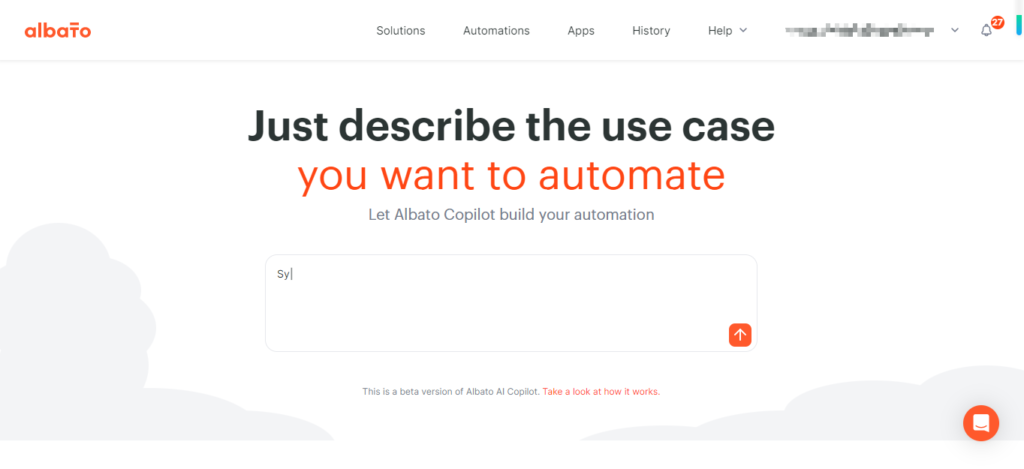
What Is Albato? Features, AI Agents and Integrations
Albato is an iPaaS automation and integration platform that lets you connect different web apps and have them exchange data automatically. The idea is to cut out repetitive copy-and-paste work without requiring you to build custom code for every connection.
One feature that makes Albato different from a basic automation tool is its built-in AI Agent layer. A standard automation can move information from one app to another, while the AI Agent can work with information from earlier steps, make decisions and trigger actions across your connected apps.
Albato also has an embedded white-label integration option for SaaS businesses. This allows you to add Albato integrations and AI agents directly to your own product under your brand, using iFrame, API or MCP.
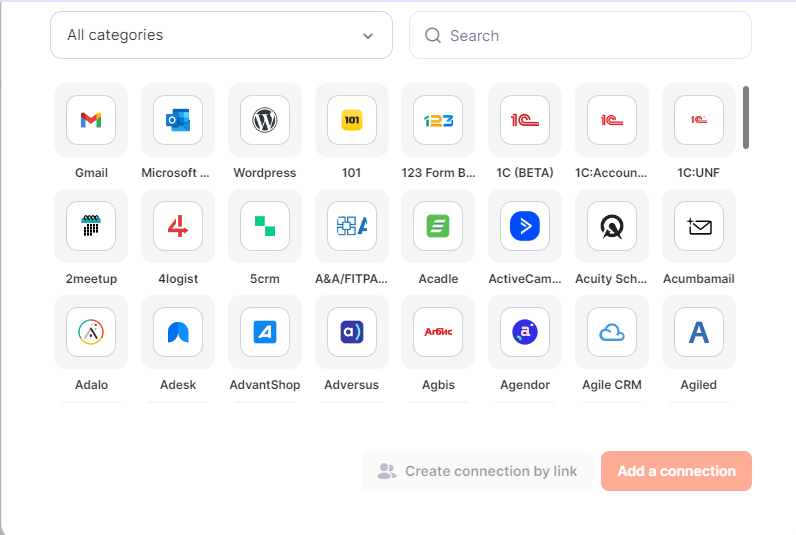
Who Is Albato Best For? Use Cases and Ideal Users
Albato is worth considering if you use several apps for your day-to-day work and are tired of copying information from one to another. It can be a useful option for:
- Solo bloggers and content creators working with tools such as WordPress, Gmail and RSS feeds
- Small online shop owners who need to keep orders, customer details and other information in sync across different tools
- Freelancers and one-person businesses who want to manage leads and follow up with customers without handling every step manually
- SaaS product owners looking to add white-label integrations and automation for their own users
If you only need one or two simple automations, Albato may offer more than you actually need. And if you’re looking for a chatbot rather than a tool that connects your apps and carries out tasks between them, it’s not really designed for that.
Albato Pricing: Is It More Affordable Than Other Automation Tools?
If you’re comparing Albato with other automation tools, pricing is one area worth paying attention to. Albato uses tiered plans for individual users and small teams, with a separate Custom option for businesses that need its embedded, white-label automation features.
Compared with some well-known automation platforms, Albato can be a more budget-friendly option, especially if you’re a solo blogger, freelancer or small business trying to keep software costs under control. You still get access to multi-app automation without necessarily having to jump straight into a higher-priced plan.
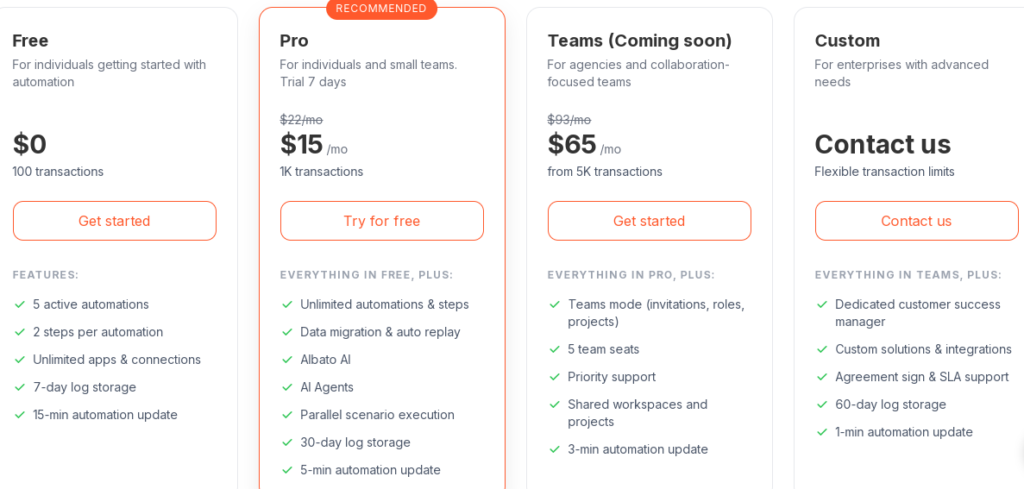
Albato Personal and Small Team Pricing Plans
Albato has a free plan if you just want to test the platform, while the paid plans give you more room to build and run larger workflows.
- Free Plan ($0/month): Includes 100 transactions, up to 5 active automations and a maximum of 2 steps per automation. It’s a straightforward way to try Albato and see whether it fits your workflow.
- Pro Plan ($15/month): Includes 1,000 transactions, unlimited automations and workflow steps, plus Albato AI and AI Agents, parallel execution and 30-day log storage. Pro users also get 2–3 custom integrations built by Albato each month at no extra cost.
- Teams Plan ($65/month): Starts with 5,000 transactions and adds team workspaces, user roles and priority support. This is aimed more at small teams that need to manage automation together rather than on their own.
- Custom Enterprise: Designed for larger organisations that need more tailored support, including a dedicated support manager and full SLA agreements.
For solo users and small businesses, the $15/month Pro plan is the one worth looking at closely. Compared with some automation platforms that can become expensive as your usage grows, Albato keeps the entry price relatively low while offering unlimited automations and workflow steps on this plan.
Albato White-Label Embedded iPaaS Pricing for SaaS Companies
Albato also has a separate embedded iPaaS offering for SaaS companies that want to put integrations directly inside their own product.
- Starting at $3,000/month: Pricing is based on transactions, while triggers are free.
- Custom branding: The interface can be fully branded and embedded using an iFrame or API.
- Dedicated support: Embedded plans include a PM, CSM and API engineer, with no hidden fees.
- Support SLAs: The Pro plan offers a first response within 4 hours, while enterprise customers get a 2-hour response SLA. Albato says responses are often provided in under an hour.
This is a very different pricing tier from Albato’s plans for individual users and small teams, so it mainly makes sense for SaaS companies that want to build integrations into their own software rather than simply automate tasks between their everyday apps.
How Albato Automation Works: Creating Workflows Step by Step
Albato automations are built around a simple idea: something happens, and then Albato carries out the tasks that follow. You choose the event that starts the workflow, then add the actions you want Albato to handle automatically.
For example, a new lead could trigger a workflow that adds the contact to another app, sends a notification or updates a record. You can build these workflows from scratch or start with one of Albato’s prebuilt templates, depending on how much you want to customise.
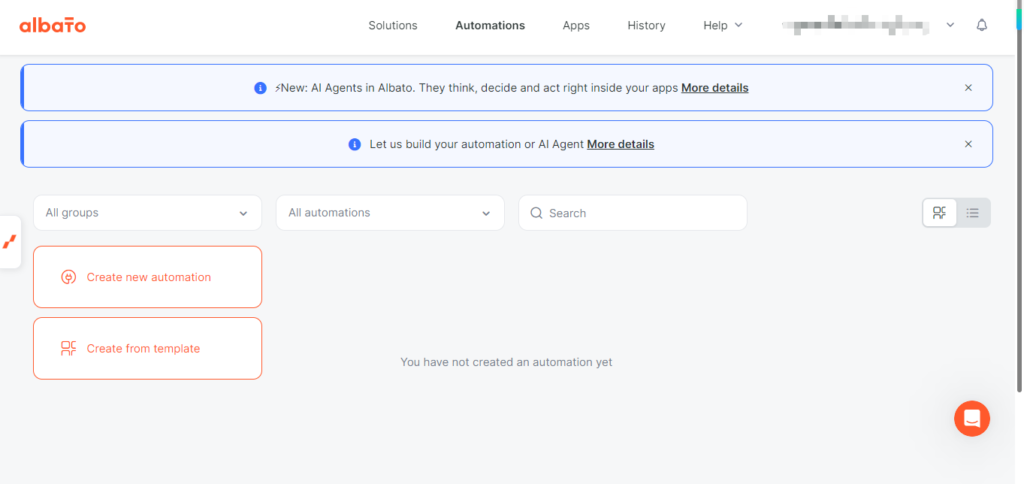
Build Albato Workflows with a Visual Automation Builder
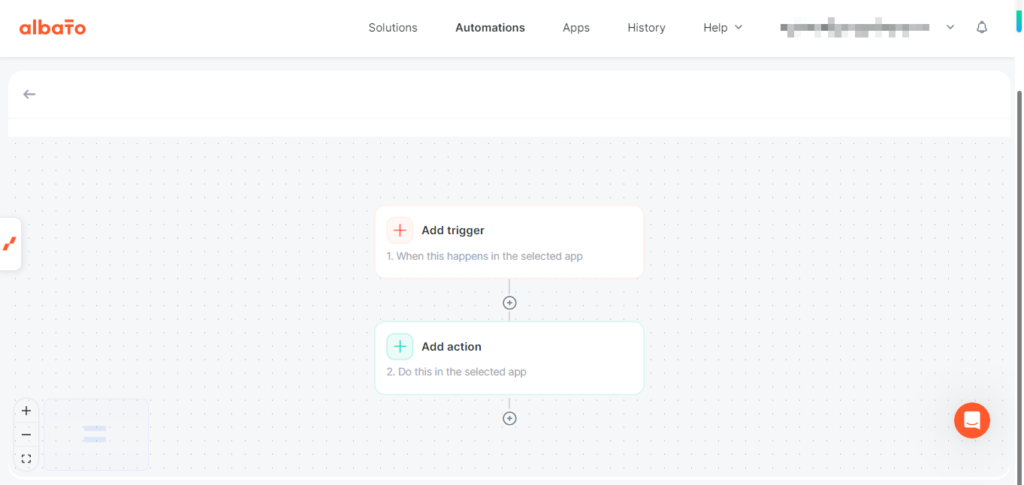
You don’t need coding skills to create an automation in Albato. The platform uses a visual workflow canvas where you can add triggers and actions and see how the different steps fit together.
This makes it easier to follow a workflow as it grows, especially if you’re new to automation. Instead of writing code or working directly with an API, you can build the workflow visually and see what happens at each stage
Choose an Albato Automation Trigger
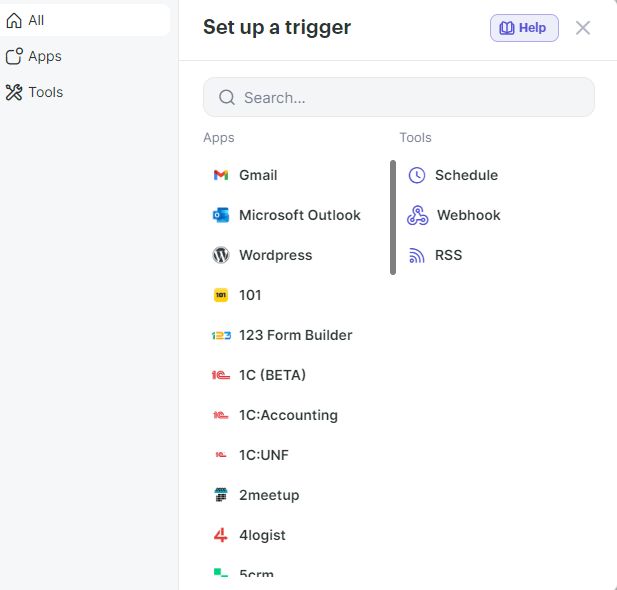
Every workflow starts with a trigger — the event that tells Albato it’s time to run the automation. Depending on the apps you use, this could be a new WordPress post, an incoming Gmail message, an RSS update or a scheduled run.
You start by choosing the app that will trigger the workflow, then select the specific event Albato should watch for. Once that’s set up, you can move on to the actions that should happen next.
Save Time with Albato Automation Templates
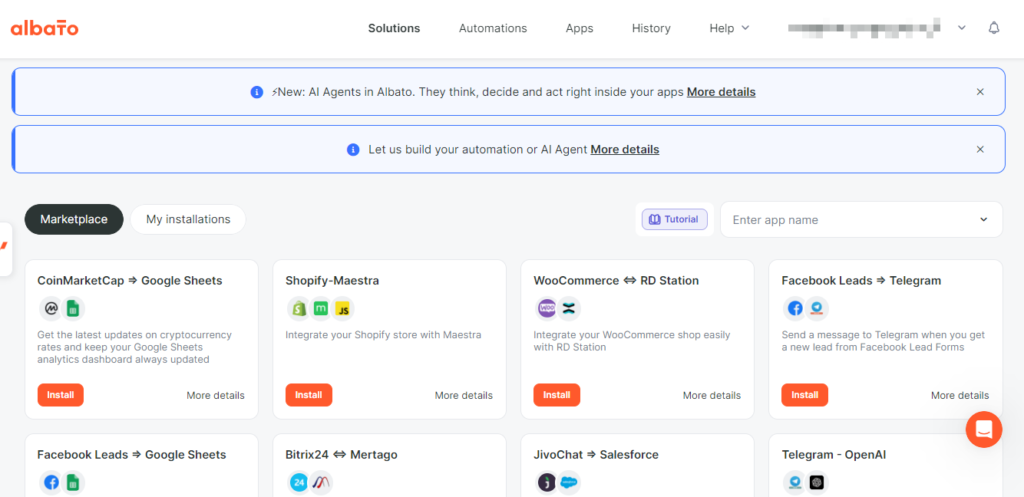
If you don’t want to build every workflow from the ground up, Albato also offers pre-built automation templates. The marketplace covers common use cases such as lead capture, e-commerce alerts and form notifications.
You can start with a ready-made template and adjust it to fit your needs instead of setting up every step yourself. This can be handy when you already have a clear idea of what you want the automation to do but don’t want to spend time building the whole workflow from scratch.
Albato AI Agent: How AI Automation Works
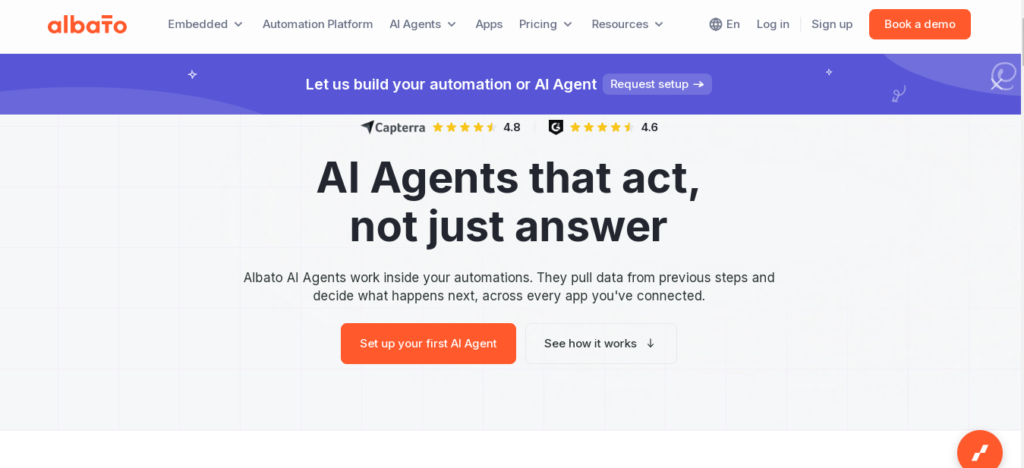
One feature that makes Albato different from a basic automation tool is its AI Agent. Rather than being a standalone chatbot built mainly for answering questions, the AI Agent can work as one step within your automation workflow.
You start with a trigger, such as a new CRM record, webhook event or scheduled run, and then add the AI Agent to the workflow. It can read information from earlier steps, analyse it and decide which action should come next. This means you don’t have to map out every possible outcome with a long list of filters and fixed branches. The agent can handle that decision-making step and pass the result on to the next action.
How to Set Up an Albato AI Agent
You don’t need coding skills to set up an AI Agent workflow in Albato. The basic setup involves choosing a trigger, adding the AI Agent step, selecting an LLM model, writing instructions in plain English and choosing which connected tools the agent can use.
The instructions cover three things: the information the agent receives, the task you want it to complete and the limits you want it to follow. These guardrails help define what the agent can and cannot do within the workflow.
In practical terms, you could use an AI Agent to qualify leads after someone submits a form, then send those leads to the right place in your CRM. E-commerce businesses could also use agents to handle tasks such as processing orders or dealing with return requests.
The AI Agent is built around four main parts: an LLM model, instructions written in plain language, tools from your connected apps and optional memory. According to Albato, it can access around 5,000 individual actions across more than 1,000 integrated apps.
One particularly useful feature is the “Let the AI agent decide” option for field mapping. Instead of manually setting up how every field should be mapped, you can let the agent work out the mapping for each incoming record based on the information it receives.
For the AI model itself, Albato has its own built-in Albato AI, so you can get started without setting up a separate LLM account. If you prefer to use another model, you can also connect your own OpenAI, DeepSeek or Google Gemini model.
How Albato Charges for AI Agent Usage
There’s one important pricing detail to keep in mind when using AI Agents: each AI Agent run uses 3 Albato transactions, regardless of how many tools the agent calls during that run.
If you use Albato’s built-in AI, there is an additional transaction charge based on token usage: 1 transaction per 2,000 tokens. If you connect your own external LLM model, Albato does not add this additional token-based charge.
So when working out your potential usage, you’ll want to account for both the 3 transactions per AI Agent run and any additional token-related transactions that apply when using Albato’s built-in AI.
Use Albato Automation Without AI
You don’t need to add an AI Agent to every workflow. It’s an optional feature, so you can use Albato’s standard automation tools for simpler tasks and bring AI into the picture when a workflow actually needs it.
For straightforward trigger-and-action workflows, the regular setup may be all you need. An AI Agent becomes more useful when the workflow has to interpret incoming information, choose between different actions or deal with situations that aren’t always the same.
You can test these AI workflow capabilities and explore the visual automation builder by creating a free account on Albato↗.
Albato Pros and Cons: What to Know Before You Sign Up
After looking at Albato’s automation features, AI Agent options and pricing, here are the main points to keep in mind before deciding whether it fits your needs.
Pros
- Affordable Pro plan: The Pro tier starts at $15/month and includes access to Albato’s AI Agent features.
- 1,000+ app integrations: Connect tools across areas such as WordPress, Gmail, e-commerce and other business apps.
- Optional AI Agents: Add AI to a workflow when you need it to work with information and take actions across connected apps.
- No-code workflow builder: Create automations through a visual interface without needing developer skills.
- Pre-built automation templates: Start with an existing workflow instead of building every automation from scratch.
- Bring your own LLM: Connect supported external models if you prefer not to rely solely on Albato’s built-in AI.
- Security and compliance: Albato lists SOC 2 Type 2, GDPR compliance and AES-256 encryption among its security measures.
- Custom connector support: Pro and higher-tier users can have 2–3 custom integrations built each month at no additional cost.
- White-label option: SaaS businesses can embed Albato’s automation and integrations into their own products.
Cons
- AI Agents take some getting used to: If you’re new to AI-powered automation, setting up instructions, tools and guardrails can take a little time to learn.
- Smaller community than Zapier: Albato is less widely known, so you may find fewer third-party tutorials and community discussions when you run into a specific problem.
- AI workflows may need testing: More flexible workflows can require some trial and error, particularly when the agent has to interpret information or choose between different actions.
- Embedded pricing is much higher: The white-label embedded package starts at $3,000/month, so it is aimed at SaaS businesses with larger integration and embedded automation needs rather than individual users or small teams.
Compared with well-known automation platform Zapier, Albato offers native AI Agent workflows as part of its automation platform, while Zapier has a larger user community and more third-party resources. Albato can also be a more budget-friendly option as your automation needs grow, depending on the plan and usage you need.
Who Should Not Use Albato? Key Limitations to Consider
Albato may not be the right fit if you need more advanced workflow features, such as deeply nested branching, self-hosting or extensive control through custom code. Its workflow builder is geared towards practical no-code automation, so users working on highly complex processes may find some of the logic and data-handling options more limited than they need.
It may also be worth looking at Albato alternatives if you rely on a large number of niche apps or need access to a particularly broad integration library. In that case, a platform with a larger integration ecosystem may give you more options.
Albato Review: Final Verdict
For solo bloggers, freelancers and small business owners who are tired of moving data between apps or watching automation costs add up, Albato offers a combination of no-code automation and AI-powered workflow features worth considering.
The platform brings together a visual workflow builder, more than 1,000 app integrations and an optional AI Agent that can work with information and take actions across connected apps. The standard automation tools cover straightforward trigger-and-action workflows, while the AI features give you another option when a workflow needs to interpret information or decide what to do next.
If you want an automation platform that can do more than simply pass information from one app to another, Albato↗ is worth exploring. The free plan gives you a way to try the platform before moving to a paid plan, while the $15/month Pro plan adds AI Agents, unlimited automations and unlimited workflow steps.